


How to Download Libby Audiobooks to Computer in 2026
Libby is the free hub for enjoying a massive selection of audiobooks, only if you have an eligible library card. But if you've tried to save an audiobook file to your computer, you've probably come across the same wall everyone does. This guide covers what's actually going on and how to work around it.
Libby's web player for computers streams books by default — it requires an internet connection. There's no download feature in the browser version. For actual Libby files, just go to AnyLibro Converter, which saves borrowed Libby audiobooks to your PC or Mac for unlimited listening. No ads, no loans.
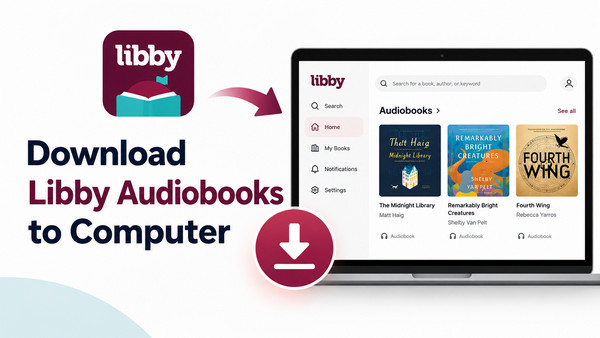
Part 1: Can you download Libby audiobooks to the computer?
Not directly.
Typically, the offline-download option is only available in the Libby mobile app on iOS, Android, and supported Fire tablets. The PC version of Libby is running via the web browser at libbyapp.com. The Libby allows you to borrow and listen to audiobooks, but not to download them. What's more, these titles will expire on your shelf after 14 or 21 days because of Libby's lending service.
In practice, here's what Libby doesn't do on a computer:
- ❌Libby web player only streams the audiobooks, not exports to MP3, M4A, M4B, or others.
- ❌Get offline file access on the PC and Mac, so that you can use it outside the browser.
- ❌Copy Libby audiobooks to a standalone MP3 player, a USB port, or other external devices.
- ❌Keep Libby books forever, even if the borrowed titles expire with the loan.
Part 2: [Solution] Download Libby Audiobooks to Computer with AnyLibro
If you're seeking to download Libby audiobooks on your computer and even play them on any player or device, AnyLibro Converter offers an effective workaround that actually works in 2026.
Best Libby Audiobook Downloader—AnyLibro Converter
It is desktop software for Windows and Mac that connects to your Libby library account and lets you convert borrowed Libby audiobooks and ebooks into MP3, M4A, M4B, and EPUB formats. By using it, you're free to download Libby audiobooks to your computer and any device for offline listening. The conversion is lightning-fast, exports the audiobooks cleanly, and organizes the output into properly named files with full metadata and chapter info intact.
AnyLibro Converter
How to Download Libby Audiobooks to a Computer with AnyLibro
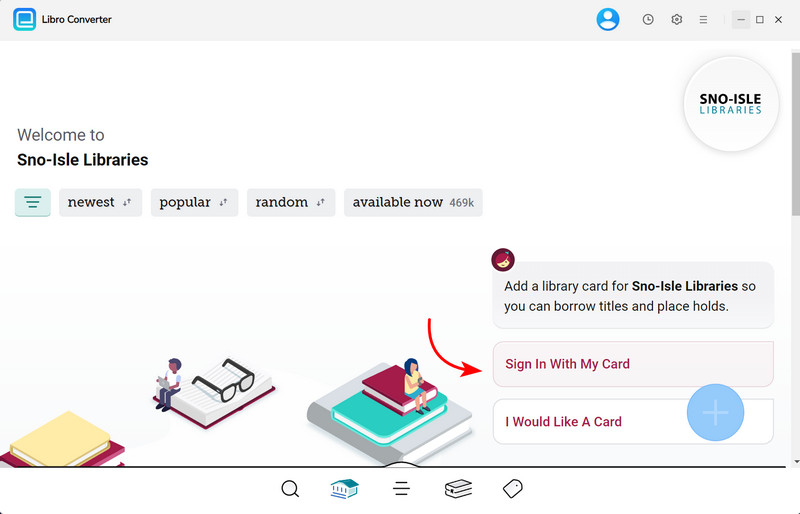
Step 1.Install and start AnyLibro Converter on your PC or Mac, and it opens the Libby portal in a built-in browser. Here, enter your library card number to log in. Your borrowed titles appear automatically. (Add new audiobooks to the shelf if you have not borrowed them yet.)
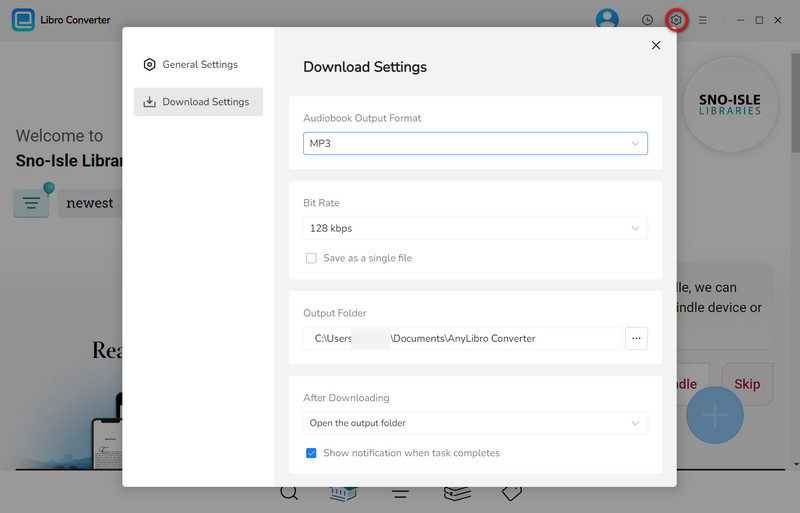
Step 2.Open the Settings window by clicking a gear icon at the top right corner. Select MP3 as the output format and its bit rate. Create a new folder to store downloaded Libby audiobooks.
💡 Tips for choosing an output format for Libby books:
- Choose MP3 if: You intend to download Libby audiobooks to car stereos, MP3 players, or any device.
- Choose M4B if: You want high-quality audiobook, and keep its chapter playable in apps like Apple Books or VLC.
- Select EPUB: if: You plan to convert Libby e-Books for offline enjoyment on portable e-readers.
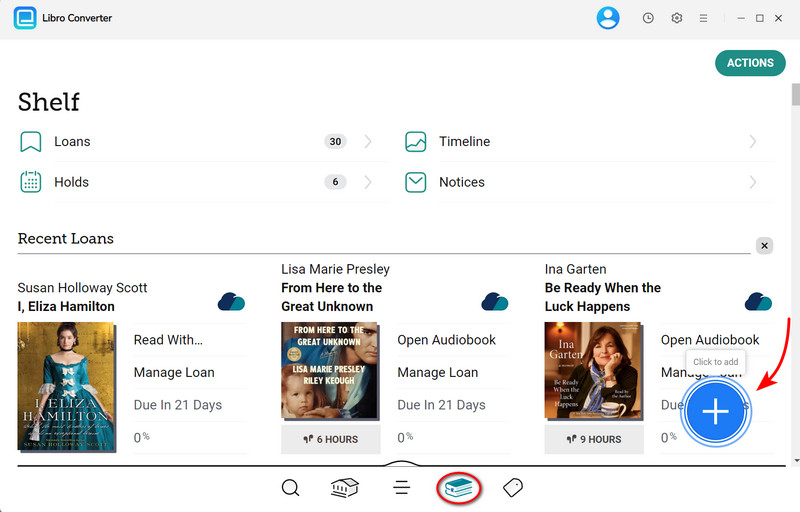
Step 3.Browse your current loans in the Shelf (a book icon at the bottom tab). Click the add button next to each title you want to convert. You can queue multiple books at once.
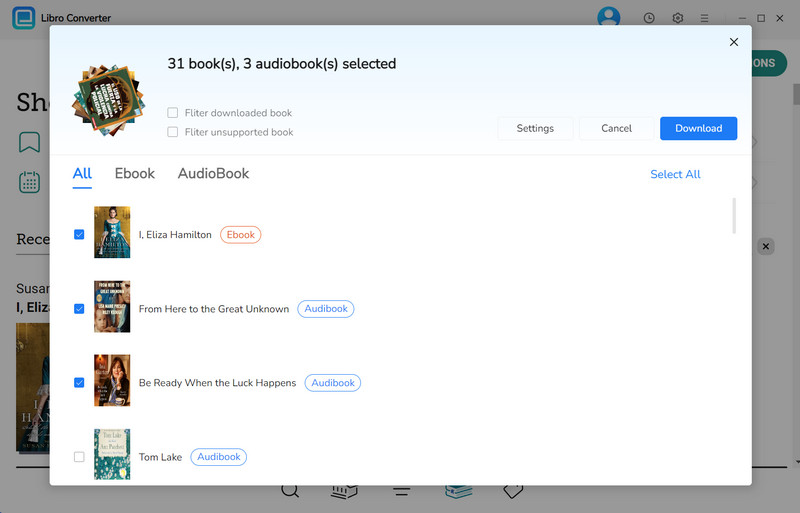
Step 4.Tick the audiobooks in the queue list. And confirm "Download".
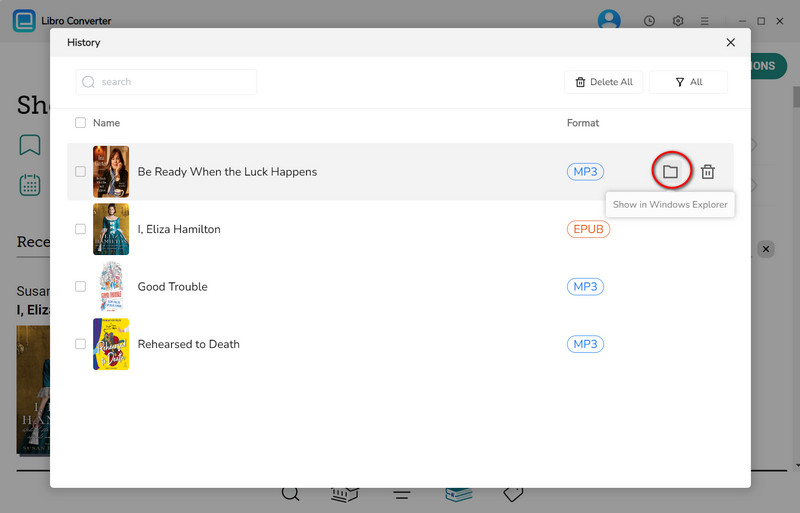
Step 5.Once done, click the folder icon next to the title. Your converted Libby audiobooks are now saved locally on your computer
📚 Our Experience:
"We tested AnyLibro on three borrowed audiobooks. It works very fast when the network condition is stable. All three converted cleanly to MP3 with chapters intact. The metadata situation was also solid: author names, cover art, and title embedded correctly in all three files."
Part 3: [Official] How to Listen to Libby Audiobooks on Computer
Sometimes you may just want to listen to Libby audiobooks on your computer online. Then you just go right to the official Libby's web player at libbyapp.com, borrow a title, and start enjoying it at your disposal. It works in any modern browser with no download or installation required. .
Step 1. Head over to libbyapp.com in your browser. (Chrome, Firefox, Edge, and Safari on both Windows and Mac)
Step 2. Click on "I have a library card" and complete the sign-in process.
Step 3. Go to your Shelf to find current borrowed audiobooks.
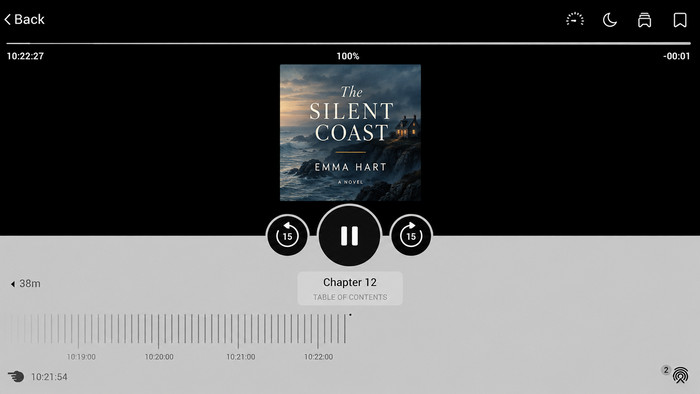
Step 4. Tap on the audiobook you want to listen to, and the online player automatically plays it. You can also control play/pause, skip forward/back, playback speed (0.6× to 3×), chapter navigation, and a sleep timer.
Libby Web vs AnyLibro Converter
Well then, to help you clarify the major difference between Libby Web and AnyLibro Converter. We made a breakdown.
| Feature | Libby Web Player | AnyLibro Converter |
| Install or not | No — any browser | Need installation on Win/Mac |
| Save audiobooks to computer | No | Yes — MP3, M4A, M4B ✔️ |
| Offline listening | No (streaming only) | Yes — once converted ✔️ |
| Files survive loan expiry | No (need to loan again) | Yes — permanent ✔️ |
| Works on MP3 players? | No | Yes — transfer via USB ✔️ |
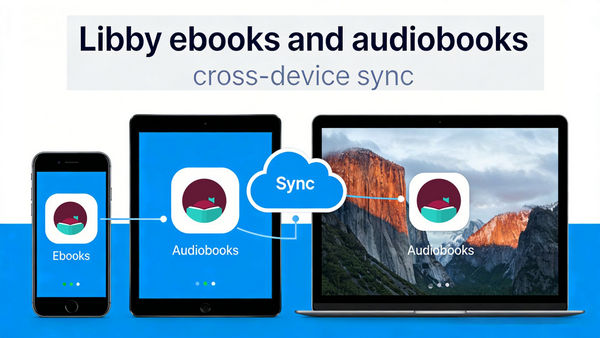
| Cross-device sync (phone/tablet) | Yes ✔️ (Kindle Fire, Tablet, etc.) | Manual (copy files) |
| Cost | Free ✔️ | Freemium (trial available) |
| Best for | Casual listening at your desk | Keep audiobooks on computer, offline use, MP3 players |
FAQs About Downloading Libby Audiobooks to a Computer
Q1: Where are Libby audiobooks stored?
On the Libby web player, the book data is temporarily cached in your browser's internal storage, but it is not saved in a folder that you can open or move.
The Libby mobile app stores encrypted content in its own protected app directory, also inaccessible from outside the app.
If you use AnyLibro Converter, converted audiobook files are saved in the local folder you choose during the Settings process.
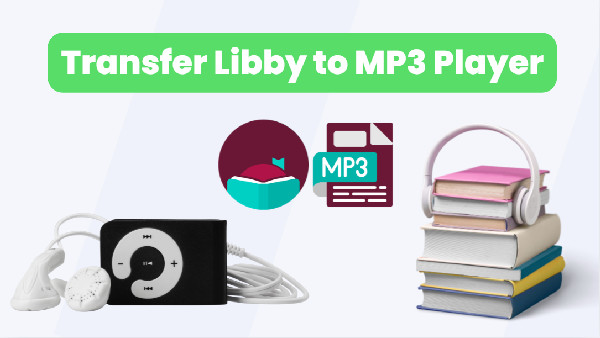
Q2: Can I transfer Libby audiobooks to an MP3 player?
Yes. With AnyLibro Converter, you can convert the audiobook to MP3 (or M4B if your player supports it), then copy the output files to your MP3 player via USB exactly as you'd move any other audio file.
Q3: Can I keep Libby audiobooks on my computer after the loan period?
Yes. AnyLibro Audiobook Downloader backs up the titles onto your Windows PC or Mac. All of them remain playable forever, even after the original Libby loan period expires.
Wrapping It Up
Downloading Libby audiobooks to a computer depends on what you want to do with the files. The web player at libbyapp.com offers a simple and straightforward way to stream Libby books online. For anything beyond that, such as offline files, MP3 player transfer, and permanent backups of books you've loved, AnyLibro Converter is the practical answer.

Clara Whitman
Clara specializes in creating practical guides for book lovers and digital reading tools.
With years of experience exploring apps like Libby, Kindle, and Audible, she shares clear, step-by-step tips to help readers get the most out of their eBooks and audiobooks.

 Libby Audiobook Converter
 All-In-One Music Converter
 Spotify Music Converter
 Apple Music Converter
 YouTube Music Converter
 Amazon Music Converter
 Tidal Music Converter
 Streaming Music Recorder
 Photo Enhancer AI
 Video Enhancer AI
 Audible Audiobook Converter