


How to Get A Free Library Card for Libby [2026]
Libby is one of the best free audiobook apps & websites out there. The readers can borrow audiobooks and ebooks from the public library with a library card – totally free of charge. Yet, the thorny issue is how to get a library card for Libby, even for non-residents. Hopefully, this post lists three methods to get a free digital card for Libby, plus a bonus trick to keep what you borrow forever.
Part 1: Can I Get a Free Libby Library Card?
Yes, certainly. But one thing to know is that it’s not Libby that determines card eligibility, but the library. For example, some local libraries offer a free Libby digital card to qualified users, while others may charge a specified amount for residents or non-residents.
Here are what they usually count:
Part 2: How to Get Free Library Cards for Libby
Method 1: Through the Local Library
Generally, most cities/countries offer free library cards to inhabitants. You’re able to legally and reliably get free access to Libby. Just check your local library website to see whether you qualify for a free full card. Some places may also offer temporary digital cards online, but they come with limitations.
Here is an example of how to get a free Libby library card with the New York Public Library (NYPL).
Step 1. Go to the official website (https://www.nypl.org).
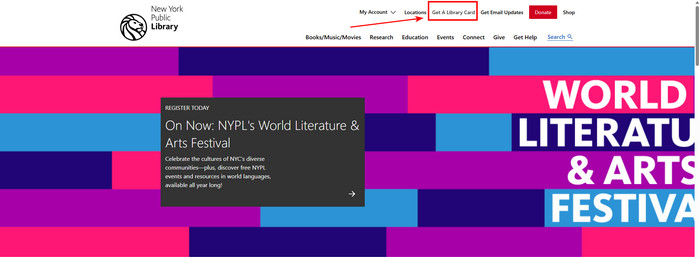
Step 2. Click "Apply for Library Card" at the top and then click "Get Started".
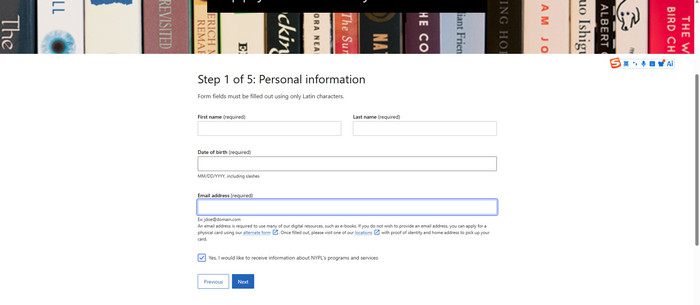
Step 3. Fill in your basic personal details (name, address, email etc.) and submit it.
Step 4. If approved, you will receive a library card number and password in your mailbox.
Step 5. Once you have it, open Libby and tap "I have a library card" to sign in and use.
Method 2: Through Other Libraries (For Non-residents)
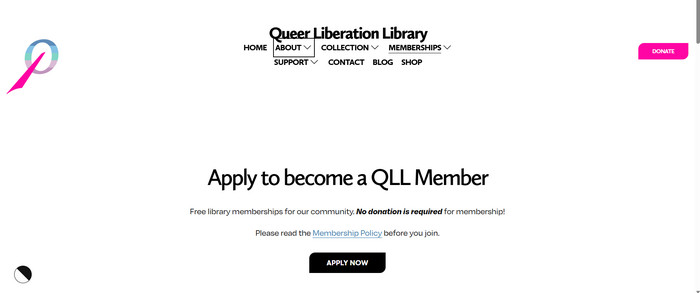
Some libraries enable anyone to apply online, not restricting access solely on their location. One example that is commonly referenced by the Reddit community is Queer Liberation Library. It claims to open to anyone who supports the LGBTQ+ community, regardless of location, age, or local library access.
Step 1. Visit the official website and go to the registration page.
Step 2. Fill out the registration form online. (No residency / address evidence necessary)
Step 3. Locate the card number in your mailbox.
Step 4. Now you can add the library to Libby and start to borrow books.
Method 3: Through the Reciprocal Borrowing Library Partners
It is also possible to expand Libby's access through reciprocal borrowing agreements. If you already have a library card from a participating system, there is no need to apply for a new one. In that case, your existing library card can be used in partner libraries, and Libby allows you to add such libraries after signing in with your home card.
Part 3: Bonus Trick: How to Keep Libby Books Forever with AnyLibro
Thanks to the methods above, you can get a library card and enjoy audiobooks or ebooks from Libby for free. But you need to keep an eye on the lending time. Typically, after 21 days, the titles will be removed from your Shelf unless you renew them or borrow them again. Want to keep Libby books forever without worrying about the loan? AnyLibro Converter is the way out.
AnyLibro Converter works as a dedicated Libby downloader that converts Libby audiobooks and e-books to MP3, M4A, M4B, or EPUB formats in batches. The converter tool fastly back up your top Libby audiobooks to the local computer, all while retaining cover art and metadata. With all things done, you can keep these Libby books permanently and even transfer them to a USB, MP3 player, or any e-reader for offline enjoyment.
AnyLibro Converter
How to Download Libby Ebooks for Offline Reading
Step 1. Sign in Your Library Card for Libby
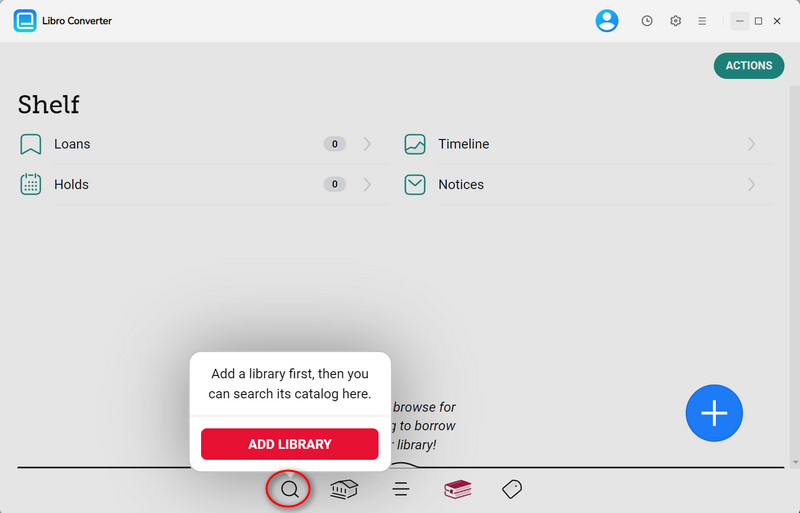
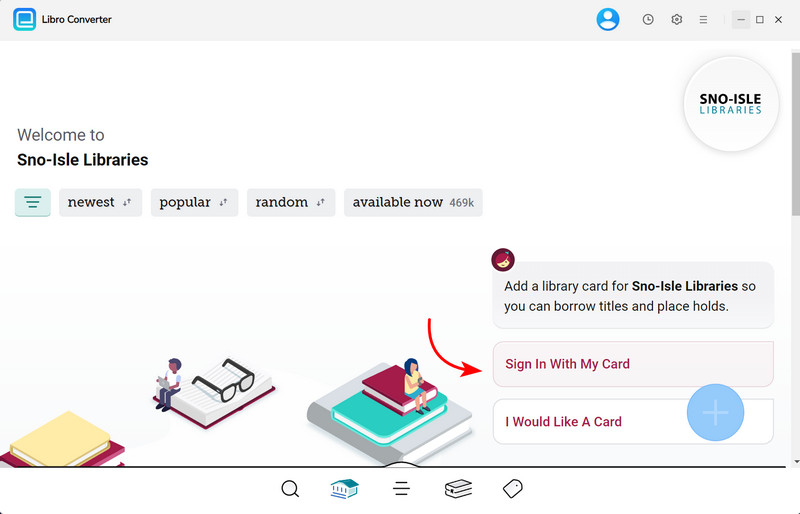
Open AnyLibro Converter and click the Search icon on the interface. Enter your library’s name to locate it, then sign in using your library card credentials. This grants the tool access to your borrowed items.
Step 2. Borrow Books on Libby
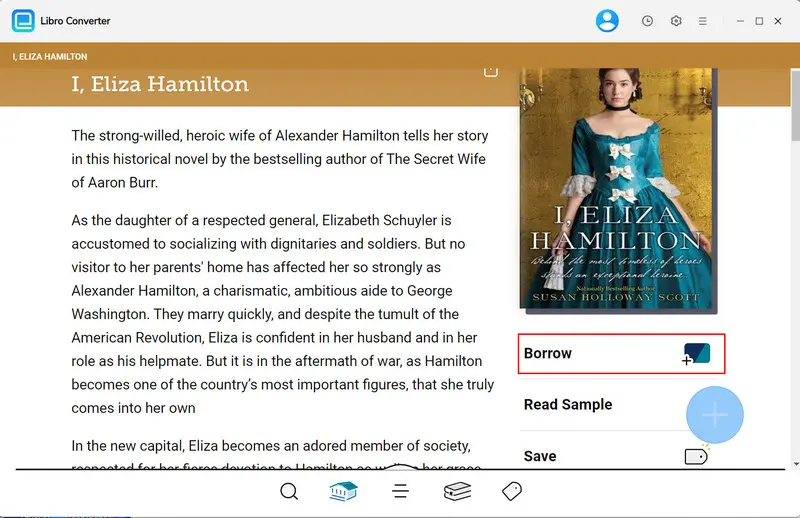
Search for titles within the tool and add them to your borrowing list. If you've reached your loan limit, return existing items to free up space before proceeding.
Step 3. Adust Output Settings for Libby
Click the Settings (Gear) icon to configure your preferred output. For eBooks, choose EPUB for broad device compatibility.
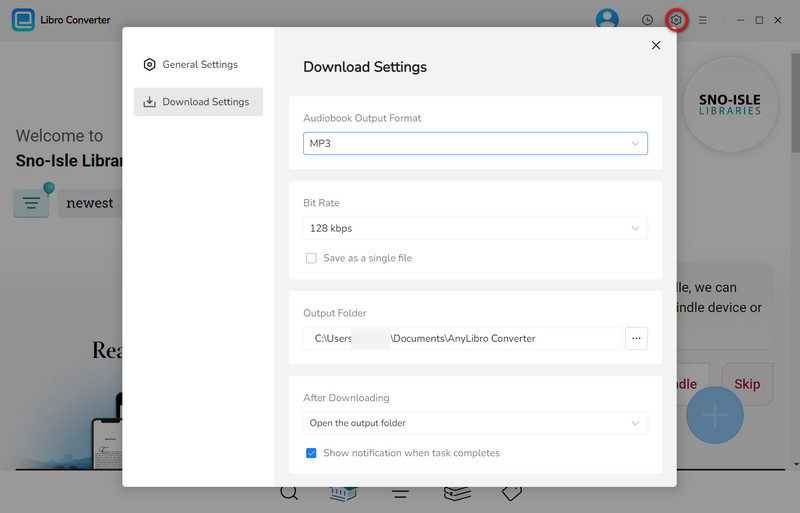
Step 4. Convert & Download Libby Audiobooks to MP3
Navigate to your Shelf, click the "+" button, and add titles to your conversion list. Click "Download" to start processing. The tool will convert books to your chosen formats.
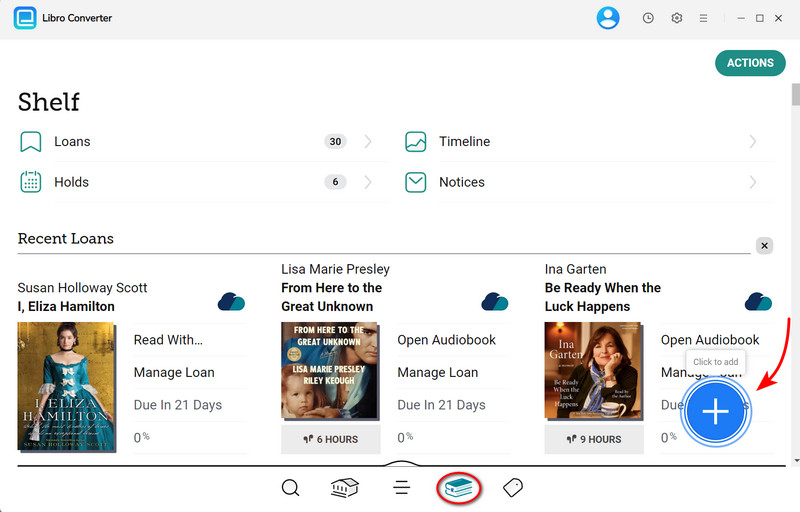
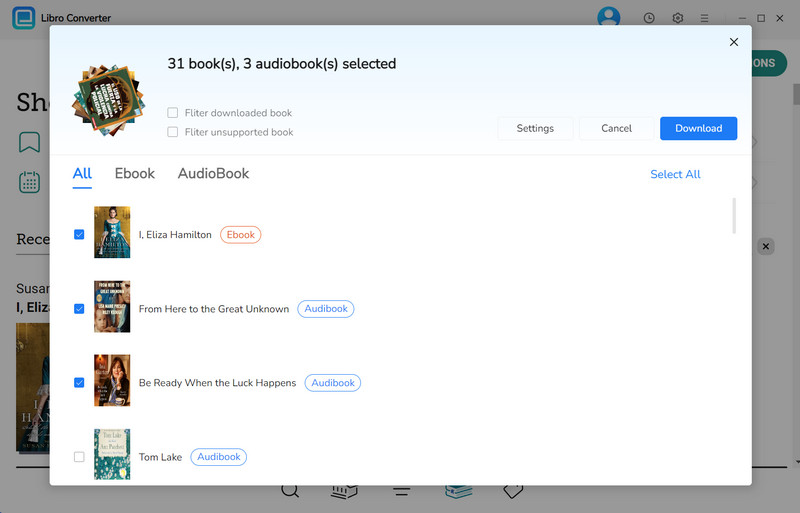
Step 5. Browse Downloaded Libby Audiobooks & ebooks
Once conversion is complete, open the output folder to find your eBooks or audiobooks.
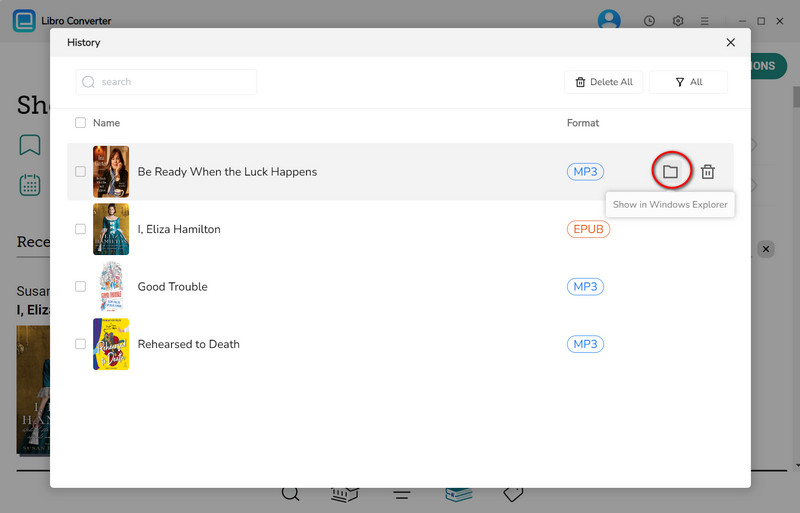
FAQs about Libby Library Card
Q1: Can I Access Libby without A Library Card?
A: No. A library card is a must before accessing the library collection in Libby. If you don’t have a card yet, check whether your local library offers.
Q2: How many library cards can I add to Libby?
A: Libby supports multiple library cards simultaneously. Each library's loans and holds are managed separately, but you can read and listen to content from all of them in a single Libby app session.
Q3: How long do Libby library card loans last?
A: Standard Libby loan periods are 14 or 21 days, depending on the library and the title. After this period, the borrowed audiobook or ebook is automatically returned and removed from your app. If you’d like to keep them permanently beyond the loan window, just utilize AnyLibro converter to convert your borrowed titles to local files.
Q4: Why does my library card for Libby not work?
A: You can troubleshoot this issue by these related reasons.
The End
In this article, we share three working methods to get a free library card for Libby, from a local public library to a reciprocal library network access. All you need to do is check each library’s rules, online registration options, and renewal requirements before signing up. Of course, the trick doesn't stop there. Combining a library card with AnyLibro Converter gives a richer Libby experience. You can download and keep your favorite Libby titles forever, even out of the Libby app.
Note: During the trial version, you can only convert and save the first 20% of each book. To unlock full access and convert entire books, you’ll need the full version.

Clara Whitman
Clara specializes in creating practical guides for book lovers and digital reading tools.
With years of experience exploring apps like Libby, Kindle, and Audible, she shares clear, step-by-step tips to help readers get the most out of their eBooks and audiobooks.
 Libby Audiobook Converter
 All-In-One Music Converter
 Spotify Music Converter
 Apple Music Converter
 YouTube Music Converter
 Amazon Music Converter
 Tidal Music Converter
 Streaming Music Recorder
 Photo Enhancer AI
 Video Enhancer AI
 Audible Audiobook Converter