


How to Spot AI-Narrated Audiobooks on Libby?
If you're using Libby and listening to audiobooks regularly, you may have noticed that some titles sound a little... strange. The narrator's voice feels almost too smooth, with pauses and changes in tone appearing in places where a real person normally wouldn't pause. If that sounds familiar, you might be listening to an AI audiobook narration.
In this article, we'll introduce 4 practical ways to help you avoid Libby AI-narrated audiobooks, and also share an extra tip on how to download Libby audiobooks narrated by your favorite narrators.
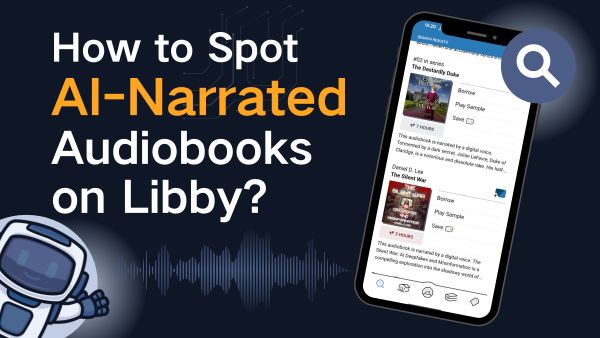
Part 1: Why Are More Libby Audiobooks Using AI Narration?
"What's going on with the boom in AI-narrated audiobooks on Libby?"
Yes, some audiobook lovers have raised this question on social media, mainly for the following three reasons:
-
Publishers Want to Reduce Costs and Improve Efficiency (The Main Reason)
Traditional audiobook production requires professional narrators, studio recording, post-production editing, and long production timelines, making it both time-consuming and expensive. For many indie authors and small publishers, these costs are simply too high to afford.
- The Growing Demand for Audiobooks
Audiobook listening continues to grow every year, with more people choosing audiobooks as part of their daily routine. Human narrators can also face limitations such as fatigue, illness, or voice strain, which makes it harder to keep up with the growing demand. Publishers are under pressure to turn more eBooks into audiobooks quickly, and AI helps fill that gap.
- AI Makes Audiobook Production Faster and More Affordable
AI narration removes many of the traditional barriers to audiobook creation. Authors who previously couldn't afford professional narrators can now produce audiobooks at a much lower cost. What once took weeks to complete can now be done in just a few hours.
Part 2: 4 Ways to Avoid AI-Narrated Audiobooks on Libby
Yes, you can still avoid Libby AI audiobooks. If you're wondering how to find out an audiobook uses AI in Libby, here are four effective methods.
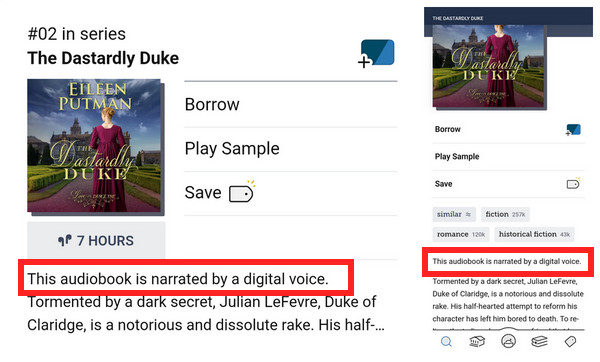
Method 1: Check the Book Description
Some audiobook descriptions clearly mention terms like "digital voice" at the beginning. Be sure to check the book details before borrowing.
Method 2: Check the Narrator Information
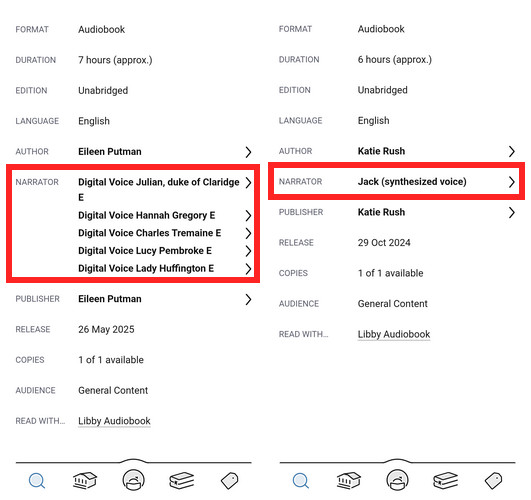
Open the audiobook details page and look at the narrator section. If the audiobook uses AI narration, it may be labeled there.
Method 3: Listen to the Sample Before Borrowing
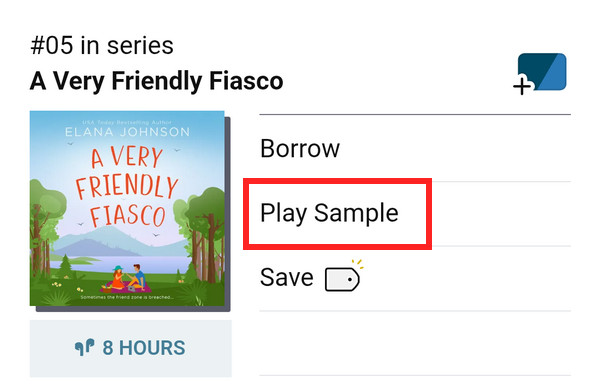
Search for the audiobook you want to listen to, then tap "Play Sample" to preview the narrator's voice before borrowing it.
Signs an Audiobook Is Probably AI-Narrated
| Possible AI Narration Clues | What It Sounds Like |
|---|---|
| Perfect but emotionless reading | Sounds technically clean but lifeless |
| Dialogue voices sound identical | Characters blend together |
| Weird pauses after commas | Rhythm feels unnatural |
| Overpronounced words | Every word sounds overly precise |
| No breathing or vocal texture | Voice feels too smooth |
| Inconsistent emotional tone | Dramatic scenes sound flat |
Method 4: Search Directly
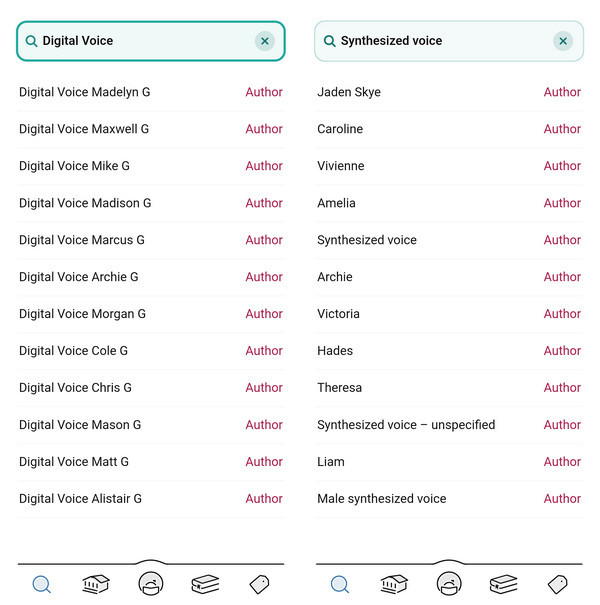
Simply type the keywords "Digital voice" or "Synthesized voice" into the search bar. Libby will then show audiobooks narrated by AI.
Bonus: How to Download and Keep Your Favorite Libby Audiobooks?
By using the methods above, you can filter out AI-narrated audiobooks and focus on the human-narrated titles you truly enjoy — whether it's a favorite book or a narrator whose voice you love listening to.
But here's the frustrating part: if you don't finish an audiobook within Libby's maximum 21-day borrowing period, it disappears from your device and becomes inaccessible. Then you have to place another hold and wait all over again.
That's why downloading your favorite audiobooks as MP3 files for offline listening across different devices can be a much better solution. We highly recommend trying AnyLibro Converter. It can convert Libby audiobooks to MP3, M4A, or M4B formats, allowing you to keep listening even after the loan expires. As long as you download the audiobook with AnyLibro before the due date, you won't have to worry about borrowing limits anymore — and you can also keep a backup copy for personal use.
AnyLibro Converter
Steps to Download Favorite Libby Audiobooks via AnyLibro
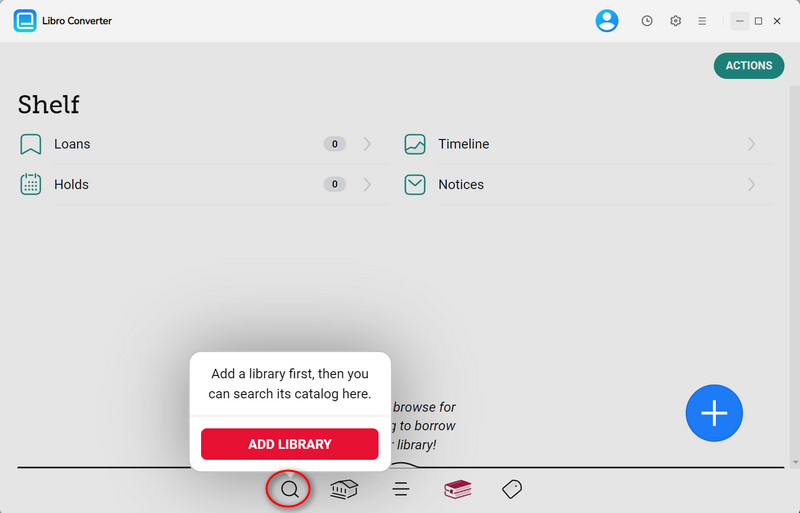
Step 1. Download AnyLibro Converter on your computer. Then, click the search icon at the bottom, search for your library, and log in using your library card.
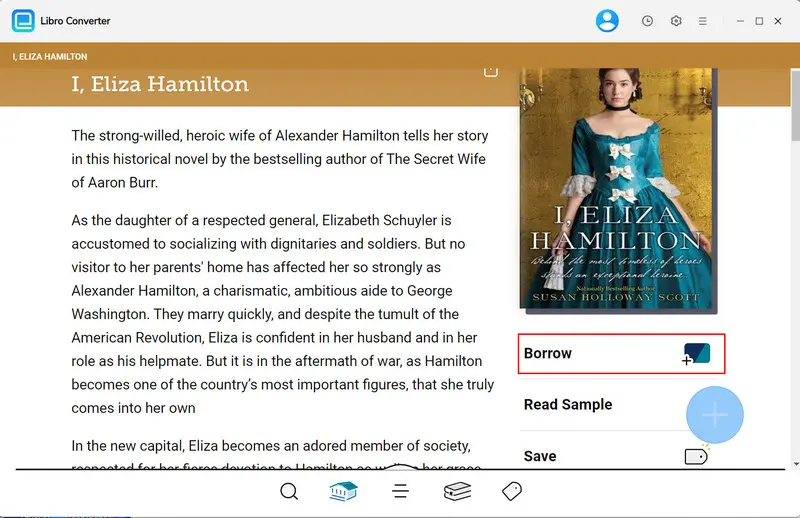
Step 2. Search for audiobooks narrated by your favorite narrator, and borrow them.
Step 3. Click the gear icon in the upper-right corner to open Settings. Choose the output format, bit rate and output folder as needed.
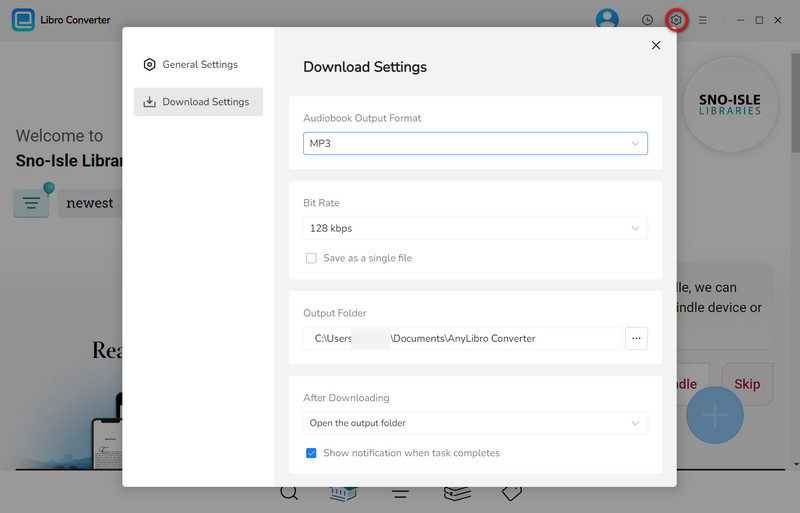
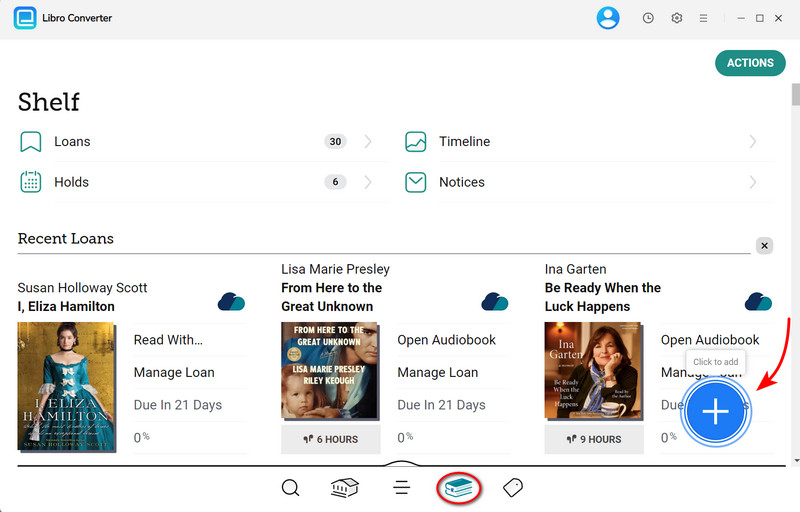
Step 4. Go to Shelf, click the floating "+" button, and AnyLibro will load the audiobooks you have borrowed. Then add the audiobooks to the conversion queue.
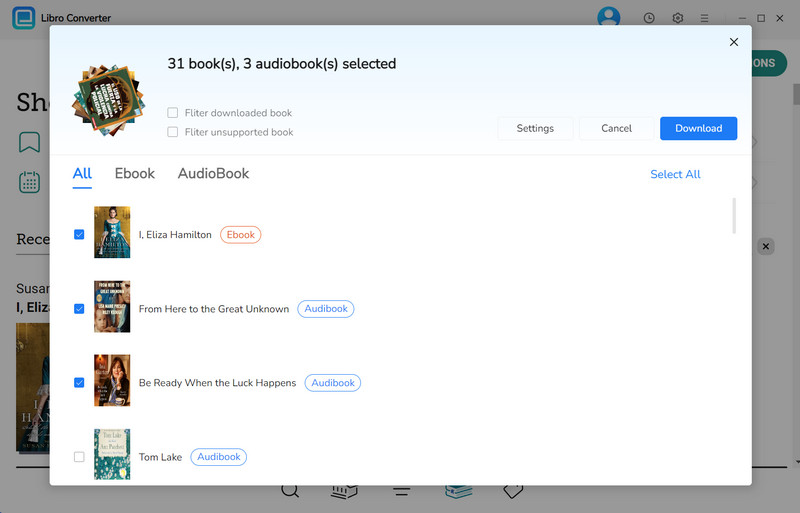
Step 5. Click the "Download" button to begin converting your favorite audiobooks.
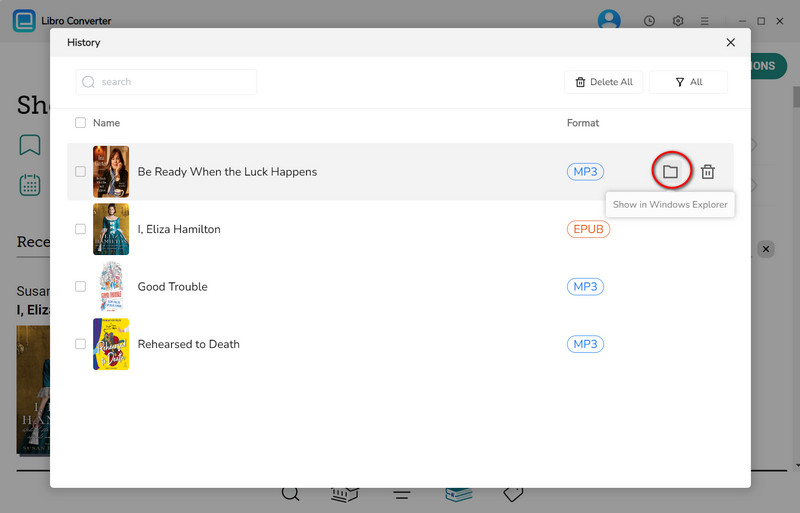
Step 6. Once conversion is complete, click the clock icon in the top-right corner to see finished downloads. Hover over a file and click the folder icon to open the output folder.
YouTube Video: How to Convert Libby Audiobooks to MP3
FAQs about Libby AI-Narrated Audiobooks
Q1. Are all AI-narrated audiobooks on Libby properly labeled?
A: Not necessarily. It all depends on whether publishers disclose the use of AI narration in the first place. Some publishers clearly mark AI audiobooks on Libby, while others provide minimal disclosure.
Q2. Can I filter AI audiobooks on Libby?
A: Currently, Libby does not offer a filter for AI-narrated audiobooks. However, you can try tagging human-narrated titles you enjoy with labels like "Human Narrators", making it easier to build a personalized listening list for future borrowing.
Q3. Which audiobooks on Libby are NOT AI-narrated?
A: Actually, most audiobooks on Libby are human-narrated. They usually include:
- • Audiobooks from major publishers
- • Popular fiction and bestsellers
- • Award-winning titles
- • Celebrity memoir
- • Dramatized adaptations
- ...
Q4. What's the difference between "synthesized voice" and "digital voice"?
A: "Synthesized voice" usually refers to books narrated using pure algorithm-based speech synthesis technology, commonly found in earlier text-to-speech systems. The AI generates speech directly from text using built-in generic voice libraries. This is the most cost-effective method, but the narration may sound less emotional or natural.
"Digital voice" refers to AI voice cloning technology based on real human voices. It requires a narrator to record several hours of audio samples to train a personalized AI voice model. This "digital clone" is then used to narrate the entire audiobook.
Wrapping It Up
By reading this article, you should now have a clear understanding of how to identify AI narration on Libby. Choosing a favorite human narrator makes a big difference. With AnyLibro Converter, you can download audiobooks narrated by real people and keep them for offline listening. AI can certainly enrich our lives, but it still lacks the emotional depth and human touch that only a real narrator can deliver — something technology cannot truly replace.
Note: During the trial version, you can only convert and save the first 20% of each book. To unlock full access and convert entire books, you’ll need the full version.

Clara Whitman
Clara specializes in creating practical guides for book lovers and digital reading tools.
With years of experience exploring apps like Libby, Kindle, and Audible, she shares clear, step-by-step tips to help readers get the most out of their eBooks and audiobooks.

 Libby Audiobook Converter
 All-In-One Music Converter
 Spotify Music Converter
 Apple Music Converter
 YouTube Music Converter
 Amazon Music Converter
 Tidal Music Converter
 Streaming Music Recorder
 Photo Enhancer AI
 Video Enhancer AI
 Audible Audiobook Converter