


How to Convert Libby Audiobooks to M4B [2026 Guide]
Libby gives you the audiobooks if you have a library card, but it takes them back once the loan period runs out. What if you could convert Libby audiobooks into M4B files for offline listening while keeping full chapters? It's not as thorny as imagined. This guide covers how to convert a Libby audiobook to M4B with AnyLibro and bonus tricks to maximize your M4B books.
Run AnyLibro Converter → Select Libby Audiobooks → Convert Libby to M4B with Chapters Kept
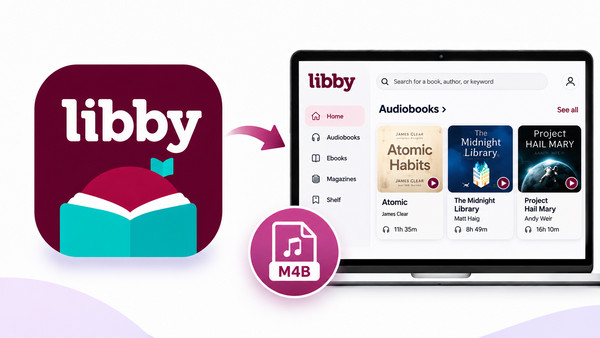
Part 1: Can You Convert Libby Audiobooks to M4B Directly?
No. Libby does not allow users to export borrowed audiobooks as direct M4A or M4B files. If you went looking for it, you didn't miss it. It isn't there.
Why Download Libby Audiobooks to M4B?
- ⭐ Licensing limits: Borrowing a book from the library doesn’t imply you own it, and these titles usually aren’t available as local files anyway.
- ⭐ Platform limits: Audiobooks on Libby are encrypted as a protected format, so they can only be played inside the platform.
- ⭐ Loan periods: If you save a regular audiobook file, you can keep listening after the due date. In Libby, access shuts off automatically the moment your loan ends.
- ⭐ Limited playback devices: You can't transfer native Libby audiobooks to MP3 players, USB drives, or many car audio systems, so local conversion is needed.
M4B vs. M4A vs. MP3: Which Format Is Best for Libby Audiobooks?
| Format | File Format | Chapters | Remembers your spot | One file per book | Compatibility | Best for |
| M4B | MPEG-4 (typically AAC) | Yes | Yes, in audiobook players | Yes | Apple devices and Android with M4B-compatible audiobook apps | Audiobooks |
| M4A | MPEG-4 (typically AAC) | Yes | Usually works like music | Yes | Most modern smartphones, tablets, and computers | General audio playback |
| MP3 | MP3 | Limited | Depends on the player | Often split into many files | Most MP3 players, and old car stereos | Universal playback on |
Part 2: How to Convert Libby Audiobooks to M4B with AnyLibro
Getting M4B audiobooks from Libby can be tricky due to various limitations. Luckily, AnyLibro Converter offers a dedicated solution to convert your desired Libby audiobooks to AAC (.m4b) files. It batches downloads of all audiobook chapters at high speed while preserving the original audio quality and basic chapter info. Beyond M4B, AnLibro effortlessly exports Libby titles to MP3, M4A, and EPUB files. After conversion, you just put the local Libby M4B audiobooks on iPhones, iPads, Macs, Android phones and tablets.
AnyLibro Converter
Step-by-step Guide:
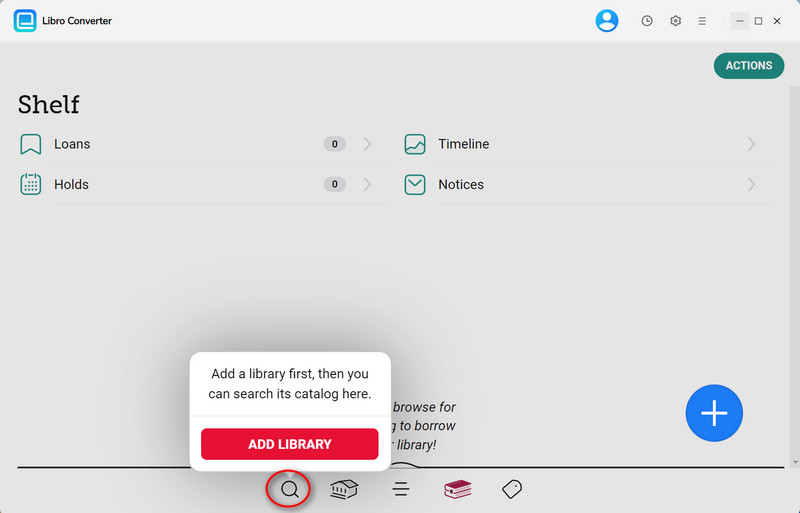
Step 1.Install and run the converter. Click the search icon in the bottom corner, then search for your library by name and sign in.
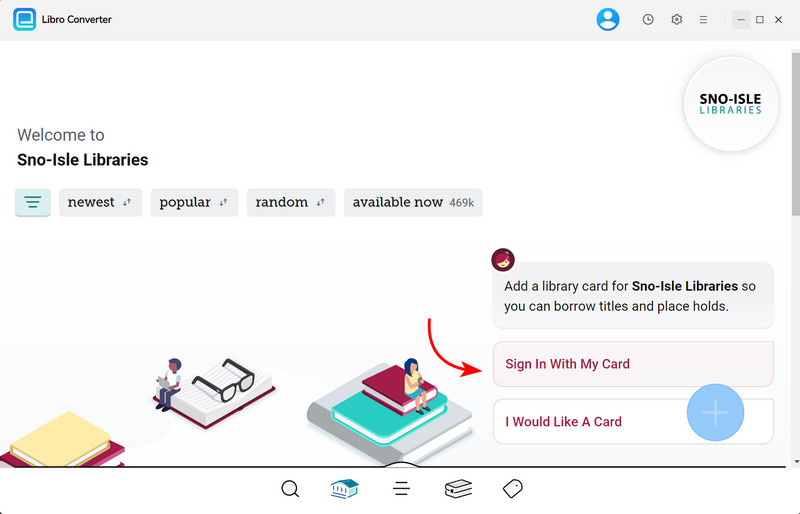
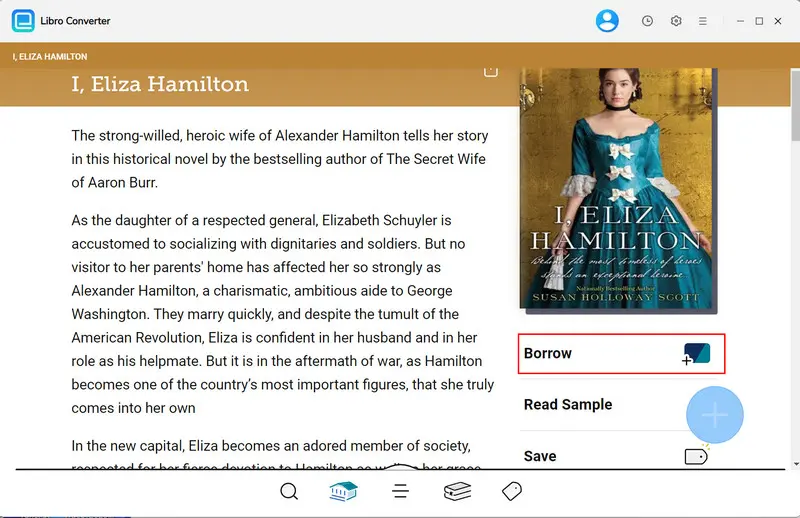
Step 2.Directly locate to the audiobook you intend to borrow, and click the "Borrow" button to add it to your shelf.
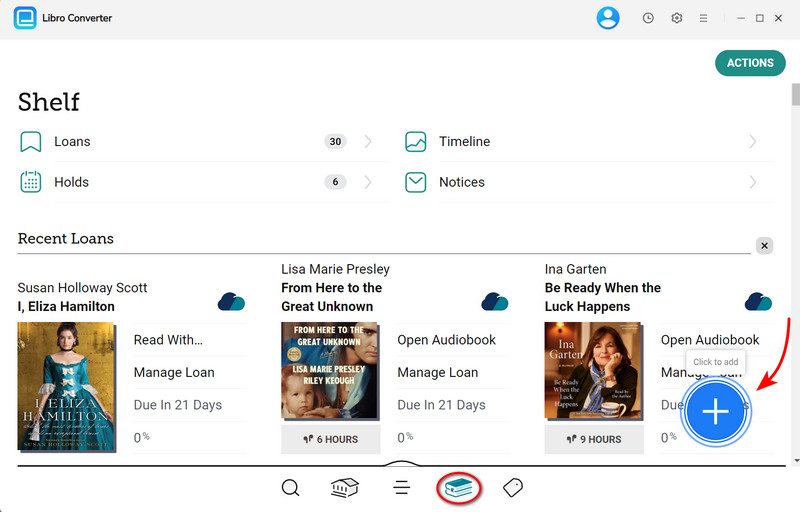
Step 3.Go to Shelf > Loans. Select the audiobook tab, and AnyLibro automatically detects all titles. Here you can click the "+" button to add it to the queue list.
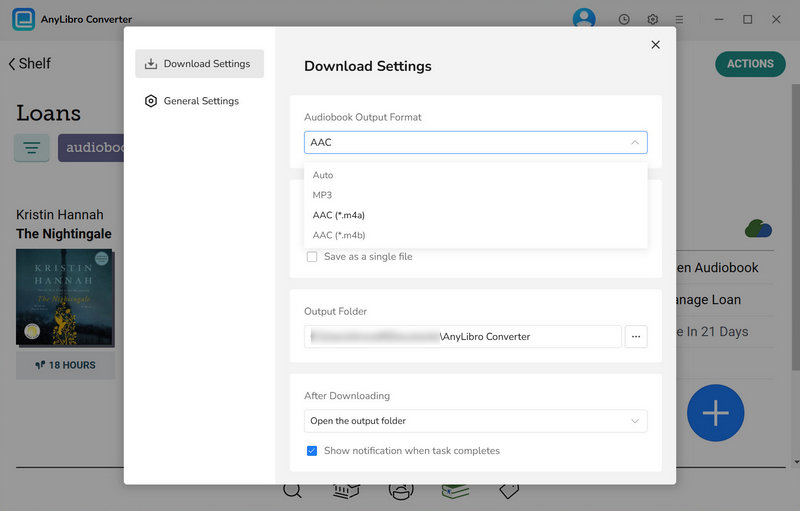
Step 4.On the download list, you can click on Settings to configure the output settings. Now pick AAC (.m4b) from the format menu, select the bit rate, and a folder for converted audiobook files.
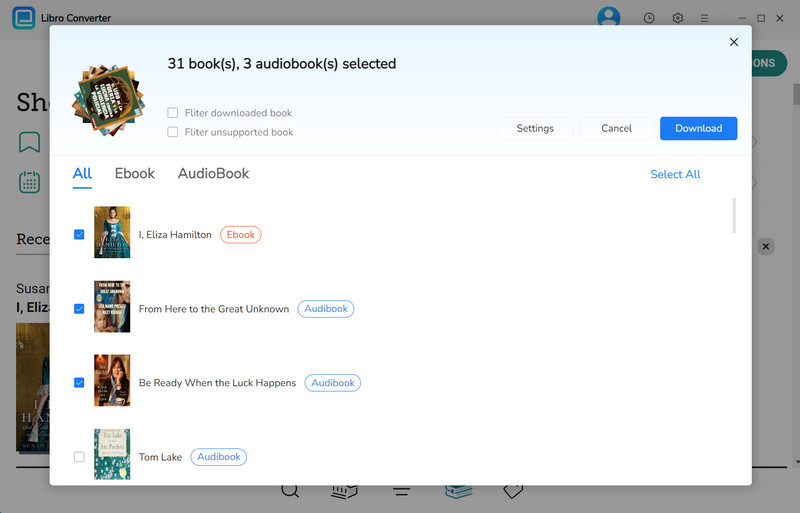
Step 5.OK. Click on the "Download" button and wait for the process.
Step 6.Once converted, click the folder icon next to the converted audiobook, and you'll be redirected to a local folder that stores all conversions.
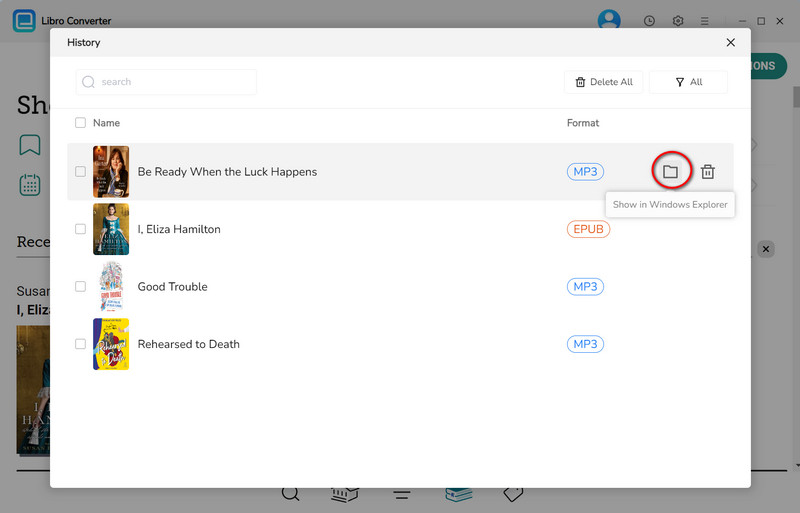
Bravo! Open the M4B in your player and skip around. Confirm the cover and title look right and chapters appear (if your player shows them).
Extra Tricks to Use Your Libby M4B Audiobooks
💡 Convert while the loan is active
AnyLibro works only with currently borrowed titles. If your loan has lapsed, you can return the book and re-borrow it before converting.
💡 Create a new folder for Libby M4B
Set a new output folder for your audiobook library, such as Documents/AnyLibro/Audiobooks. This makes it easy for you to find when importing to other devices.
💡 Use a proper audiobook player.
For example, BookPlayer on iPhone and Smart Audiobook Player on Android remember your position per book (if available) and include sleep timers and speed controls.
💡 Host your own shelf, listen anywhere
Audiobookshelf or Plex will load M4B files to your phone, with progress synced across devices.
FAQs About Libby to M4B Conversion
Q1: Is It Legal to Convert Libby Audiobooks to M4B?
AnyLibro Converter is intended for personal use only. Users should use the tool responsibly and respect audiobook copyrights. Do not distribute, share, sell, or use converted audiobooks for commercial purposes.
Q2: Which apps play Libby M4B files?
Apple Books, BookPlayer, Smart Audiobook Player, VLC, Audiobookshelf and Plex all support M4B audiobooks.
Q3: Can I still play Libby M4B audiobooks when the loan ends?
Yes. AnyLibro Converts saves and backs up Libby audiobooks locally, so you can keep them playable permanently.
Final Words
While Libby won't give you an M4B, there is still a way out. AnyLibro is the purpose-built option: borrow, import, pick M4B, convert, and lastly start playing. Do a test run on a short book first, use a compatible audiobook player, and keep a backup. Your future self, halfway through chapter 30 on a train with no signal, will thank you.

Clara Whitman
Clara specializes in creating practical guides for book lovers and digital reading tools.
With years of experience exploring apps like Libby, Kindle, and Audible, she shares clear, step-by-step tips to help readers get the most out of their eBooks and audiobooks.

 Libby Audiobook Converter
 All-In-One Music Converter
 Spotify Music Converter
 Apple Music Converter
 YouTube Music Converter
 Amazon Music Converter
 Tidal Music Converter
 Streaming Music Recorder
 Photo Enhancer AI
 Video Enhancer AI
 Audible Audiobook Converter
 Music Library Manager